ParanoidQC
Audio quality control for macOS
So that what you made is what arrives.
Test build v0.58.0
Download the test build macOS · Apple Silicon and Intel · on first launch, right-click → “Open”
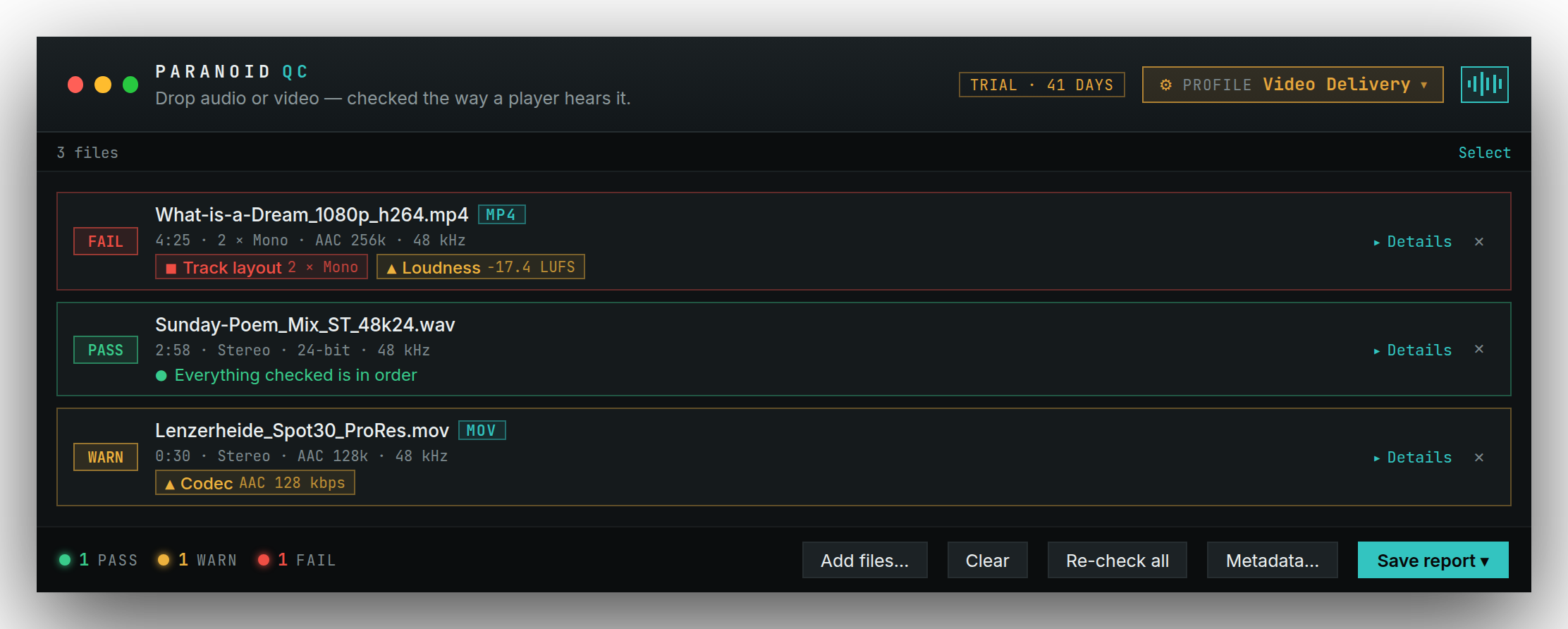
Drop a file in, read the verdict, deliver. For most files that is the whole of it.
Useful anywhere sound ends up inside a file — whether you made it or only have to make sure it arrives intact.
-
Video editing
A quick look before the upload that the export took the audio with it properly.
-
Production
An approval that does not depend on someone with good speakers being in the building.
-
Sound
What you check anyway — only complete, and in a few seconds.
01
Green, amber, red.
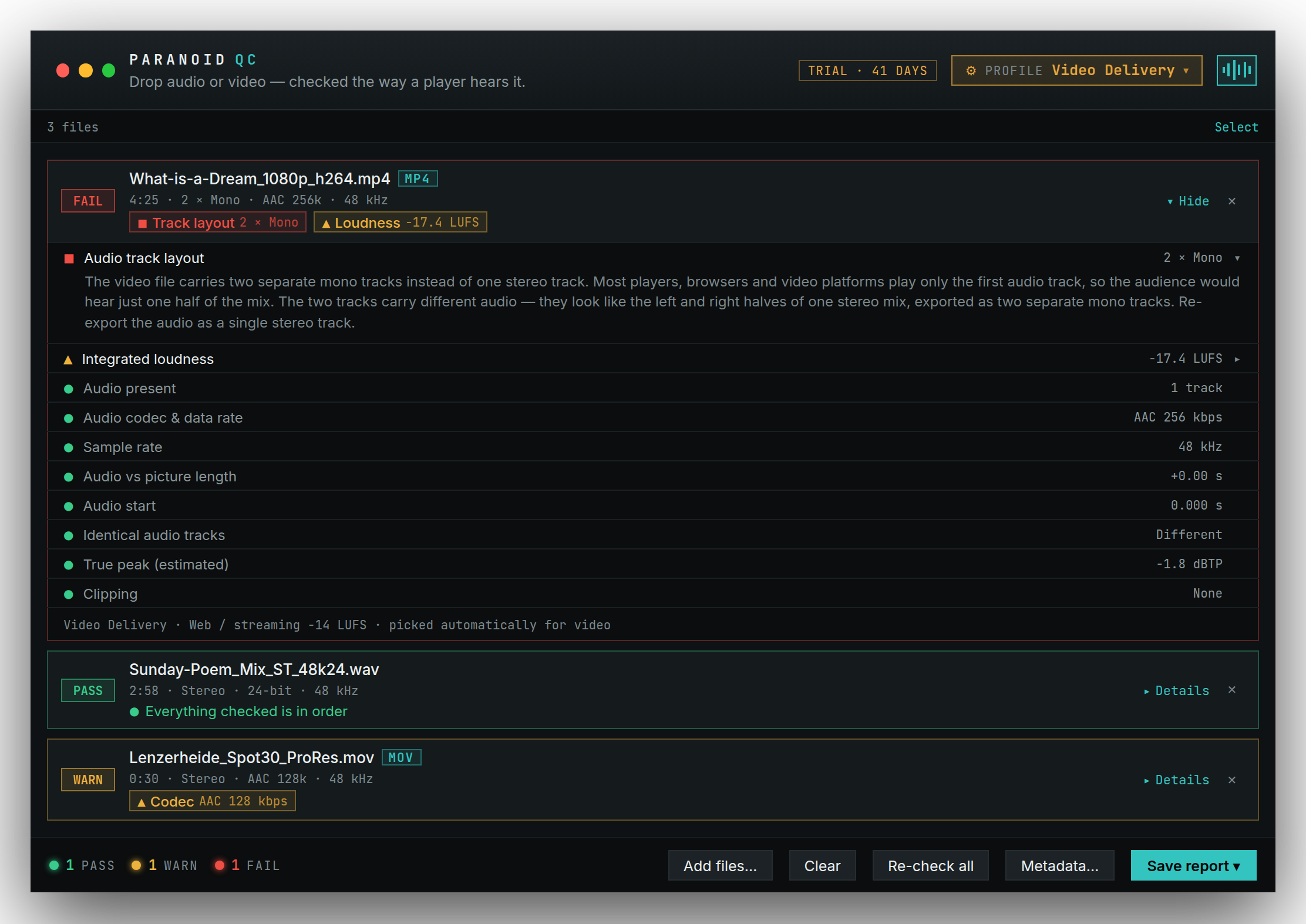
One verdict per file, and below it, in two words, what fired. If you want to know what to do about it, you unfold it — and then there is a sentence, not a manual.
02
Video is a file like any other.
Drop in a MOV or MP4. The audio is checked the way a player hears it — and whether it matches the picture in length and start. The app picks the video delivery profile itself.
03
One number. One target. One verdict.
Loudness and true peak against your target — web, podcast, EBU R 128 or ATSC A/85. Too quiet is stated as plainly as too loud, with the distance in LU.
Show every check
Format
- Container & picture
- Audio codec & data rate
- Sample rate
- Bit depth
- Channel count
- Channel layout
- WAV structure
- BWF metadata
Tracks & channels
- Audio present
- Track layout
- Identical audio tracks
- Dual mono
- Duplicate channels
- Silent channels
- Stereo balance
- Ls/Rs balance
- Lrs/Rrs balance
Level & loudness
- Signal level
- Clipping
- Estimated true peak
- Loudness peaks
- Integrated loudness
- Max short-term
- Max momentary
- DC offset
Time & artefacts
- Audio vs picture length
- Audio start
- Possible digital clicks
- Possible dropouts
- 2-pop
- Pre-FFOA activity
Every finding has a place.
When the verdict is not enough, you open the Inspector: waveform, transport, meters and every check in its place. Listen to where the finding sits — including the audio of a video.
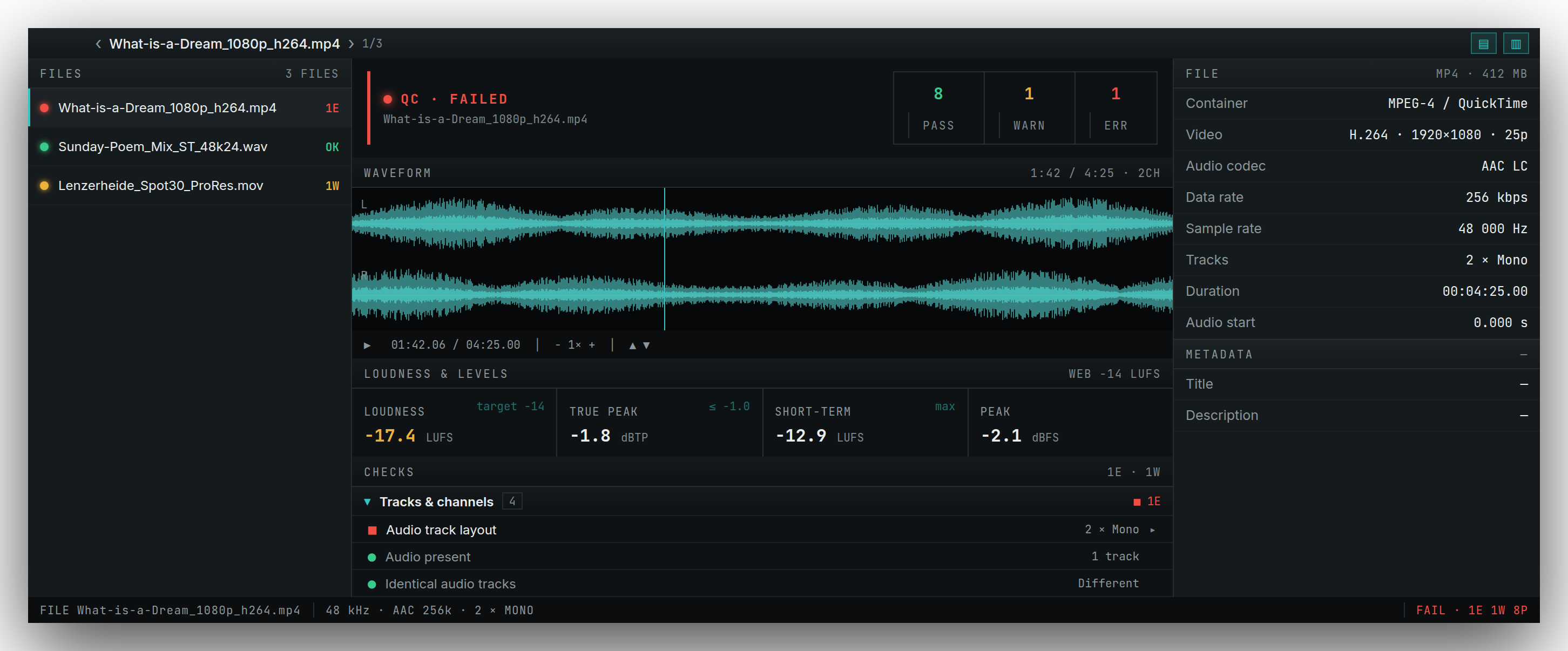
The Inspector is a second window onto the same app — one file at a time, not a second import.
And when it needs to go deeper
Your own delivery profiles for cinema, broadcast and web, BWF and iXML metadata written straight into the file, QC reports as text, CSV or HTML, and ready-named client packages. All in the same window, none of it in the way until you need it.
On your own disk.
Everything runs locally. Nothing is uploaded, nothing about the originals is changed. No account, no sign-in, no telemetry.
Get the test build
Free, unfinished and honestly labelled. Try it on a file that went out last month — that is the most honest test. And if something bothers you, there is a feedback button at the top of the app.
Download the test buildmacOS · Apple Silicon and Intel · on first launch, right-click → “Open”
What not to take on trust:
- True peak is an estimate from 4× oversampling, not a certified ITU meter. Above 0 dBTP the app reports it as something to confirm on a reference meter.
- Clicks and dropouts are candidates to listen to, not proof of a fault.
- The build is not yet notarised by Apple — on first launch, right-click → “Open” once.